


LOBBY
Casino categories
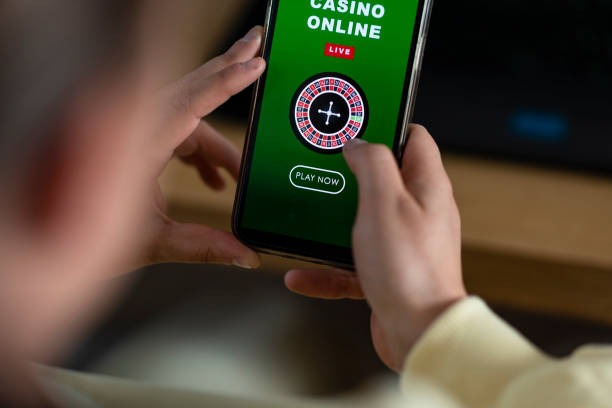
Open the casino area to move between slots, live baccarat, roulette, Dragon Tiger and blackjack. Filters keep dealer tables separate from reel and fishing titles on smaller screens.

mega5000 puts Lucky Koi Reels, Live Roulette Salon and Liga 2 Mix Parlay behind one account, with DANA and QRIS…

and Indonesia payment rails are described as service context, where local law permits.

Cards, tables, FAQ and policy pages stay readable on small screens so you can find information on any device.
Slots open first, followed by live dealer tables, fishing rounds and sportsbook markets arranged around one clear account path.
Pragmatic Play, PG Soft and Habanero sit beside CQ9, Joker and Spadegaming, giving you recognisable studio filters within the casino search.
DANA, OVO, GoPay and QRIS sit at the front of our cashier for Indonesia.
Home gives you direct routes to the areas that matter before and after account access.
Open the casino area to move between slots, live baccarat, roulette, Dragon Tiger and blackjack. Filters keep dealer tables separate from reel and fishing titles on smaller screens.

Football, badminton and basketball markets sit in the sportsbook path. Liga 2 Mix Parlay provides a clear local reference point without mixing sports selections into the casino search.
The cashier records the selected DANA, OVO, GoPay or QRIS route and displays its current status. Keep your receipt available if a completed transfer has not appeared.

Your profile area holds phone verification and access details. It is also the place to check whether additional confirmation is required before a withdrawal request can move forward.
A phone number begins your account path, and verification comes before account access.
Choose the account option from Home, enter the requested details and complete the phone verification prompt. The verified number becomes part of the access check used when you return on another device.
Your account area shows whether required details are complete before cashier access. Correct your name or phone details there rather than opening another account, which helps avoid mismatches during a later withdrawal check.
The lobby separates casino, slots, live tables and sportsbook markets. Titles such as Crash Skyrise Arena and Fishing War Fast Round can be found through category tabs and mobile search.
Use your own phone number, keep access details private and close the session on a shared device. We may request another verification step when account activity or device details change.
A wallet receipt, account name and displayed transaction state help us trace a delayed request. Live chat is placed near the cashier, email handles cases needing attachments, and the mobile Help area keeps account prompts readable on a narrow screen. The current chat schedule is displayed before contact begins.
Use live chat for login prompts, wallet states or navigation questions. Share the displayed request reference and payment rail, but never send your password or private access details.
Choose email from the Help area when you need to attach a DANA, OVO, GoPay or bank transfer receipt. Include the transaction time and visible cashier state.
The mobile Help path opens from the account menu and returns you to the same page afterward. It is suited to phone verification prompts and QRIS status checks.
A mobile browser takes you from Home to account access, the casino search and the cashier without requiring a separate app.

Phone verification comes before account access, and device changes may trigger another confirmation step.
Scattered searches can separate game names, cashier details and account help from the place where you need them. Our Home page brings those paths into one navigation frame.
Home sends you through one phone-verification path for casino and sportsbook access. Separate search results may point to outdated or unrelated account pages.
DANA, OVO, GoPay and QRIS appear by name in the cashier. You do not need to infer which local wallet a generic payment label represents.
Search Lucky Koi Reels or Live Roulette Salon from the lobby field. This avoids moving between third-party lists that may not reflect current availability.
Your profile and cashier show the state tied to your session. Screenshots or offline messages cannot replace the current status displayed inside your account.
Help links sit beside account and cashier paths, allowing you to describe the exact screen involved. That context helps distinguish access trouble from wallet processing.
Terms, privacy wording and eligibility conditions are linked from the same site footer. You can check current text rather than relying on copied extracts elsewhere.
Game mechanics and return values come from the individual title or studio display, not from a single Home-page figure.
Open the title panel to check its displayed return value, paytable and feature rules. Lucky Koi Reels keeps these details inside the game interface supplied for that session.
Crash Skyrise Arena shows round mechanics and cash-out behaviour within its rules area. Read that panel before choosing a stake because each round ends independently.
Live Roulette Salon displays table rules, available stakes and recent wheel results inside the table interface. Stream quality can adjust automatically when your mobile connection changes.
Fishing War Fast Round explains weapon values, targets and round controls in its help panel. Check those mechanics before starting because fishing titles do not use reel paytables.
Football, badminton and basketball selections show odds and market conditions before confirmation. Recheck the selection slip when market status changes, as an updated price may require acceptance.
Our Home page is configured for Indonesia, including DANA, OVO, GoPay, QRIS and local bank context. From Denpasar, you can open the same mobile lobby path used elsewhere in supported Indonesian regions, subject to connection quality and account checks. Availability depends on local law, and we do not use the map to imply access in a restricted location. Check the eligibility wording linked from the footer before opening an account.
Six elements remain visible or within one clear menu path: account status, slot search, live tables, sportsbook categories, cashier rails and Help.
These answers cover the practical questions people search before opening a mega5000 account from Indonesia. They explain what Home contains, how phone access works, where local wallets appear and which help path to use when an account or cashier state needs attention.
Begin with the account indicator, then choose casino, sportsbook or cashier according to your task.
Open the account indicator first to confirm phone verification and profile details.
Select casino for slots and live tables, or sportsbook for football, badminton and basketball.
Choose DANA, OVO, GoPay, QRIS, bank transfer or virtual account when displayed.
Use the Home control to change categories without ending your account session.